> ## Documentation Index
> Fetch the complete documentation index at: https://datum-4926dda5-mintlify-style-consistency-1774830500.mintlify.site/llms.txt
> Use this file to discover all available pages before exploring further.
# Account Setup
The first step is to create a user account at [https://cloud.datum.net](https://cloud.datum.net).
* You will be asked to use a Google or a GitHub account for authentication
* Your account will be associated with the primary email on your social account
* We do not accept email and password registrations at this time
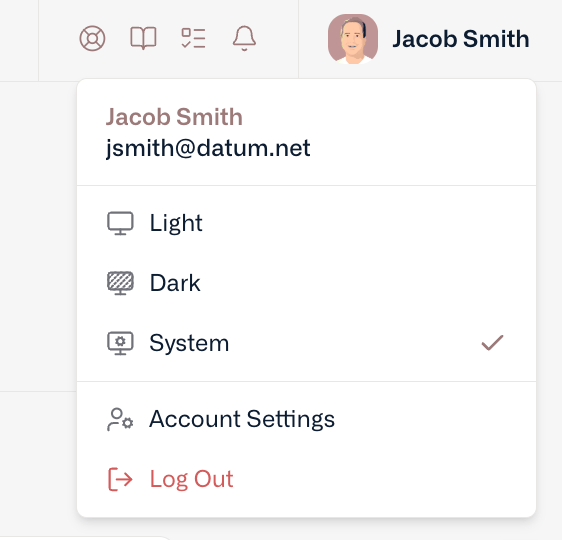
Once you’ve created a user account, you can personalize your experience and access details by clicking on your avatar or initials at the top right of your screen.
 ## Orgs & Projects
We use a standard cloud data model that associates Projects within Organizations. There are two types of Orgs:
* **Personal Org**- An entity created for each user that does not support collaboration and cannot be renamed. Consider this your personal sandbox.
* **Standard Orgs** - Ability to collaborate on projects, share resources, and centralize management.
## Team Management
To collaborate with team members, you’ll need to create or join a Standard Organization. Standard Organizations support the following coarse-grained roles:
* **Owners** - Full control over the organization and all resources.
* **Editors** - Control over all resources in an organization, except for team members.
* **Viewer** - Read only access to all resources in an organization.
## Quotas
Datum is in active development and currently only offers a free tier with reasonable limits on resources. Resource limits (e.g. quotas) can be found under the setting areas for Organizations and Projects.
## Support
If you run into issues (including quotas that constrain your work, but also other things), simply drop a note to [support@datum.net](mailto:support@datum.net) or the live chat widget accessible at the top of the portal. [Discord](https://link.datum.net/discord) is also an option!
## Orgs & Projects
We use a standard cloud data model that associates Projects within Organizations. There are two types of Orgs:
* **Personal Org**- An entity created for each user that does not support collaboration and cannot be renamed. Consider this your personal sandbox.
* **Standard Orgs** - Ability to collaborate on projects, share resources, and centralize management.
## Team Management
To collaborate with team members, you’ll need to create or join a Standard Organization. Standard Organizations support the following coarse-grained roles:
* **Owners** - Full control over the organization and all resources.
* **Editors** - Control over all resources in an organization, except for team members.
* **Viewer** - Read only access to all resources in an organization.
## Quotas
Datum is in active development and currently only offers a free tier with reasonable limits on resources. Resource limits (e.g. quotas) can be found under the setting areas for Organizations and Projects.
## Support
If you run into issues (including quotas that constrain your work, but also other things), simply drop a note to [support@datum.net](mailto:support@datum.net) or the live chat widget accessible at the top of the portal. [Discord](https://link.datum.net/discord) is also an option!